
[MLflow] Artifact Store - 결과물 저장소
학습된 모델 가중치 파일, 데이터, 이미지 등 각 실험에 대한 결과물을 보관하는 저장소
Artifact Store
개념
- MLflow의 핵심 구성 요소로 각 실행(Run)에 대한 결과물(Artifact)을 저장한다.
- 저장하는 결과물 : 학습된 모델 가중치 파일, 데이터, 이미지 등
- 저장하는 자료들이 일반적으로 대용량이다.
- 기본적으로 로컬 파일(
mlruns)에 아티팩트를 저장하지만, Amazon S3 및 호환 저장소에도 저장 가능
지원되는 Artifact Store
- 기본값은 로컬 디렉터리
- docker compose 명세서 상 기본 저장소는 RustFS (2026년 3월 28일 기준)
| 지원되는 Artifact Store | 구분 | 설명 |
|---|---|---|
| local file system | file | 로컬 디렉토리에 아티팩트를 저장. 서버와 클라이언트가 동일한 물리적 경로를 공유해야 함. 기본값. |
| Amazon S3 및 호환 저장소 | object | AWS S3 및 RustFS, MinIO 등 S3 API를 사용하는 모든 오브젝트 스토리지 지원. |
| Azure Blob Storage | object | Microsoft Azure의 저장소(WASBS). 대규모 엔터프라이즈 환경에서 선호됨. |
| Google Cloud Storage | object | GCP의 오브젝트 스토리지(GCS).gs:// URI를 통해 접근 가능함. |
| Backblaze B2 | object | 저비용 오브젝트 스토리지 솔루션. S3 호환 API를 통해 연동 가능. |
| SFTP 서버 | network | SSH 파일 전송 프로토콜을 이용한 원격 서버 저장 방식. |
| NFS | network | 네트워크 공유 파일 시스템. 여러 노드에서 공통 경로로 마운트하여 사용. |
설치해보기
RustFS Object Storage를 이용해서 MLflow Artifact Store 를 설치해보자. 이번에는 Docker 를 이용해 설치해본다.
1
2
3
4
5
6
7
8
9
10
11
12
13
14
15
16
17
18
19
20
21
22
23
24
25
26
27
28
29
30
31
32
33
34
35
36
37
38
39
40
41
42
43
44
45
46
47
48
49
50
51
52
53
# docker-compose.mlflow-storage.yml
volumes:
  mlflow-storage-data:

services:
  mlflow-storage:
    image: rustfs/rustfs:1.0.0-alpha.83
    container_name: mlflow-storage
    environment:
      RUSTFS_ADDRESS: :9000
      RUSTFS_SERVER_DOMAINS: mlflow-storage:9000
      RUSTFS_REGION: ${AWS_DEFAULT_REGION:-us-east-1}
      RUSTFS_ACCESS_KEY: ${AWS_ACCESS_KEY_ID:-s3admin}
      RUSTFS_SECRET_KEY: ${AWS_SECRET_ACCESS_KEY:-s3admin}
      RUSTFS_CONSOLE_ENABLE: ${RUSTFS_CONSOLE_ENABLE:-true}
    ports:
      - "${RUSTFS_ENDPOINT_PORT}:9000"
      - "${RUSTFS_MANAGING_PORT}:9001"
    volumes:
      - mlflow-storage-data:/data
    restart: unless-stopped
    healthcheck:
      test: ["CMD-SHELL", 'curl -s http://127.0.0.1:9000/health | grep -q ''"status":"ok"''']
      interval: 10s
      timeout: 5s
      retries: 5
      start_period: 10s

  create-bucket:
    image: amazon/aws-cli:2.33.25
    container_name: mlflow-create-bucket
    depends_on:
      mlflow-storage:
        condition: service_healthy
    entrypoint: >
      /bin/sh -c "
        set -e;
        echo 'Waiting for S3 gateway getting ready...';
        if aws --endpoint-url=${MLFLOW_S3_ENDPOINT_URL} s3api head-bucket --bucket ${S3_BUCKET} 2>/dev/null; then
          echo 'Bucket ${S3_BUCKET} already exists. Skipping creation.';
        else
          echo 'Creating bucket ${S3_BUCKET}...';
          aws --endpoint-url=${MLFLOW_S3_ENDPOINT_URL} s3api create-bucket --bucket ${S3_BUCKET} --region ${AWS_DEFAULT_REGION};
        fi
      "
    environment:
      AWS_ACCESS_KEY_ID: ${AWS_ACCESS_KEY_ID}
      AWS_SECRET_ACCESS_KEY: ${AWS_SECRET_ACCESS_KEY}
      AWS_DEFAULT_REGION: ${AWS_DEFAULT_REGION}
      AWS_S3_ADDRESSING_STYLE: path
      MLFLOW_S3_ENDPOINT_URL: ${MLFLOW_S3_ENDPOINT_URL}
      S3_BUCKET: ${S3_BUCKET}
    restart: "no"
env 파일에는 Credential 및 RustFS 관련 설정값을 넣어준다.
1
2
3
4
5
6
7
8
9
10
11
12
# .env 파일

# S3 Credentials
AWS_ACCESS_KEY_ID=mlflow
AWS_SECRET_ACCESS_KEY=mlflow
AWS_DEFAULT_REGION=us-east-1

# RustFS
RUSTFS_CONSOLE_ENABLE=true
S3_BUCKET=mlflow
RUSTFS_ENDPOINT_PORT=9000
RUSTFS_MANAGING_PORT=9001
컨테이너와 서비스를 실행해보자.
1
sudo docker compose -f ./docker-compose.mlflow-storage.yml up -d
서비스에 접속해보면 아래와 같은 화면을 볼 수 있다.
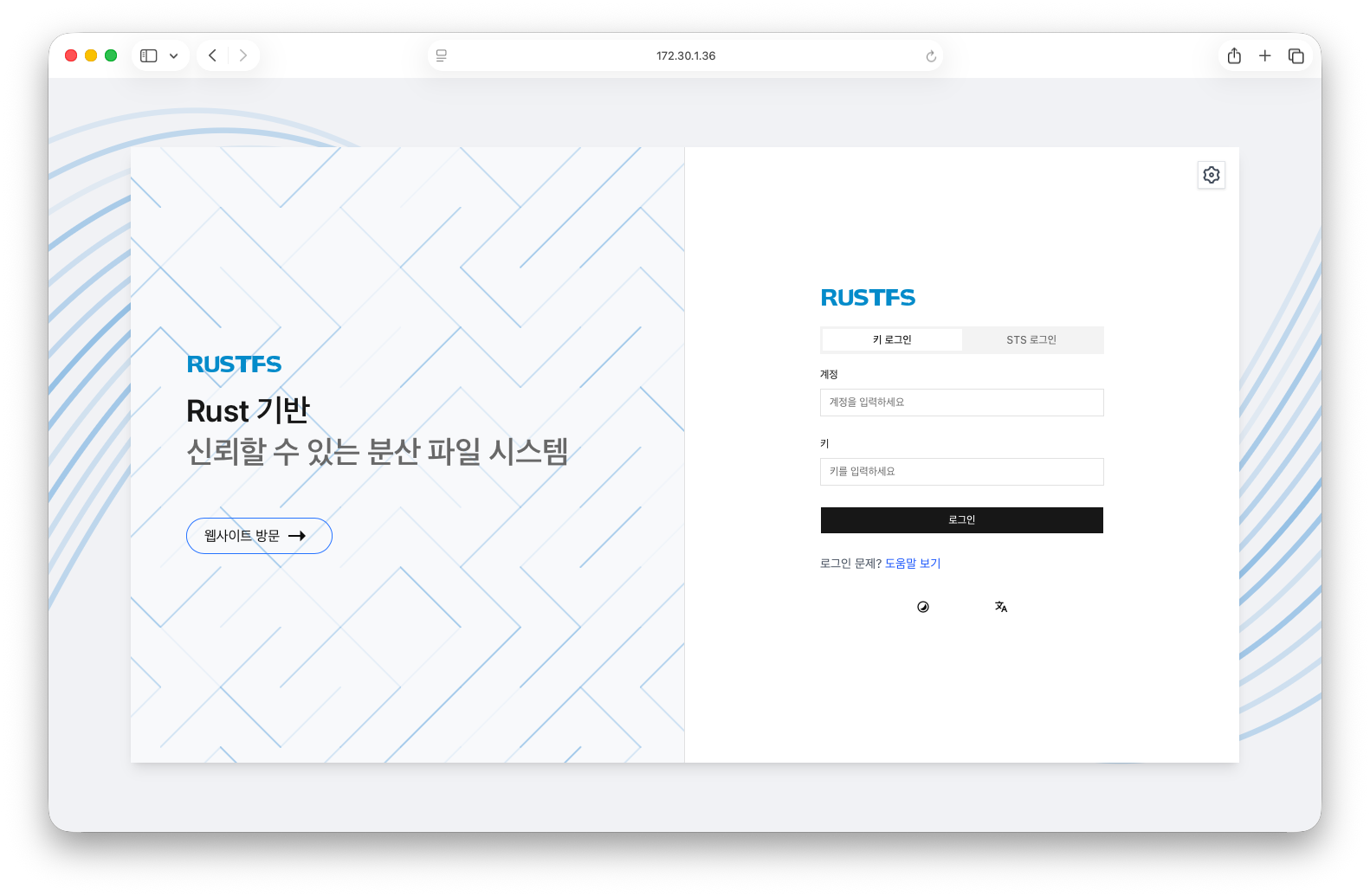
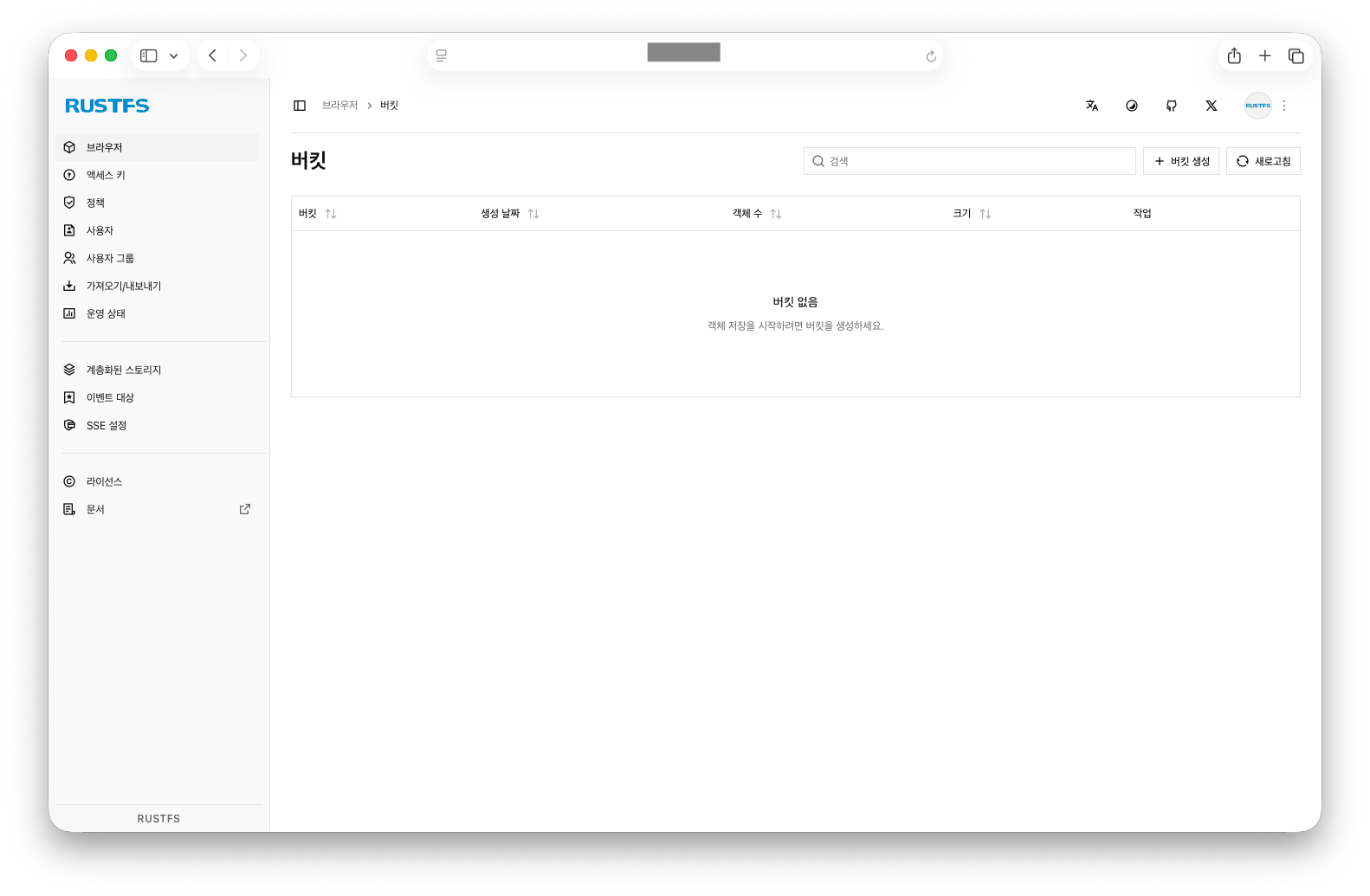
환경변수 파일에 설정해둔 계정 정보를 입력해서 로그인하면 된다.
MLflow Tracking Server와의 연결
- 별도의 아티팩트 저장소를 지정하지 않는 경우, 기본 저장소는 서버가 실행된 로컬 경로의 ./mlruns 디렉토리
- 원격 저장소 지정: 서버 시작 시 –artifacts-destination 옵션을 통해 S3 등 원격 저장소의 URI를 지정
1
2
3
4
5
6
7
8
9
10
11
12
# S3 호환 저장소(예: RustFS, MinIO)를 아티팩트 저장소로 지정하는 예시
mlflow server \
  --backend-store-uri postgresql://user:password@localhost:5432/mlflowdb \
  --artifacts-destination s3://my-mlflow-bucket/ \
  --host 0.0.0.0

# 아티팩트 프록시 기능을 활성화하여 서버 시작
# 클라ㅣ언트가 스토리지에 직접 접근하지 않고, Tracking Server를 거쳐 아티팩트 업로드/다운로드
mlflow server \
  --backend-store-uri postgresql://... \
  --artifacts-destination s3://... \
  --serve-artifacts
- docker compose를 통해 설정을 할 때에는 MLflow Tracking Server에 환경변수로 등록함으로써 연결 설정이 가능하다.
- AWS ACCESS KEY ID 등은 S3 호환 오브젝트 스토리지에 공통적으로 사용되는 환경변수다.
1
2
3
4
5
6
7
8
9
10
11
12
13
...(전략)
    environment:
      # Backend store URI built from vars
      MLFLOW_BACKEND_STORE_URI: ${MLFLOW_BACKEND_STORE_URI}

      # S3/RustFS settings
      MLFLOW_S3_ENDPOINT_URL: ${MLFLOW_S3_ENDPOINT_URL}
      MLFLOW_ARTIFACTS_DESTINATION: ${MLFLOW_ARTIFACTS_DESTINATION}
      AWS_ACCESS_KEY_ID: ${AWS_ACCESS_KEY_ID}
      AWS_SECRET_ACCESS_KEY: ${AWS_SECRET_ACCESS_KEY}
      AWS_DEFAULT_REGION: ${AWS_DEFAULT_REGION}
      MLFLOW_S3_IGNORE_TLS: "true"
...(후략)
- 그 외 다양한 스토리지가 존재하는데, 이에 대한 연결 방법은 공식 DOC를 참고하면 된다.
https://mlflow.org/docs/latest/self-hosting/architecture/artifact-store/#artifacts-store-supported-storages
S3 호환 오브젝트 스토리지
- Amazon S3
- MinIO
- Digital Ocean Spaces
- RustFS (최근 표준 docker compose 파일의 기본 세팅)
RustFS : Rust로 만들어진 S3 호환 오브젝트 스토리지. 그 전까지 표준적이었던 MinIO가 저작권 방침을 바꾸면서 주목받고 있다. 또한 빠른 처리속도로도 주목받고 있다.
Access(접근)
- MLflow에 Artifact로 기록된 모델에 대해
models:/<model_id>형식의 URI로 모델을 참조할 수 있음 - MLflow Model Registry에 등록된 모델은
models:/<model-name>/<model-version>형식의 URI로 참조 가능
Reference
https://mlflow.org/docs/latest/self-hosting/architecture/artifact-store/#artifacts-store-supported-storages
https://wikidocs.net/blog/@jaehong/8619/
// reading compass
이 글과 이어지는 경로
시리즈, 카테고리, 태그 겹침, 최신도를 점수화해 가까운 글일수록 중심에 배치합니다.
hover nodes or cards · click a node to pin
Next reads
0
댓글 남기기